Access control
Photos for access cards for the workforce, external staff, and service providers — one capture process for everyone, directly connected to the access control system.



Starting point
Access cards don't just concern your own workforce: external service providers, tradespeople, and temporary staff need the same card — often at short notice and without access to the internal network.
If a usable photo is missing, card issuance is delayed — and with it the start of work.
From request to card.
Start from the access control system
The upload link is created when the person is added — for employees, external staff, and service providers in the same workflow.
Checking and processing
Incorrectly formatted images never even reach the card office. What arrives is ready to print.
Return to the access control system
The approved image is returned with structured metadata — via API or as an export to card production.
Upload link instead of user account
The link is tied to the person, not to an account — external service providers go through the same workflow as your own workforce.
- No access to internal systems required
- The upload works without login and without app installation
- The check prevents unusable images from reaching card production

Card office, reception, and factory gate
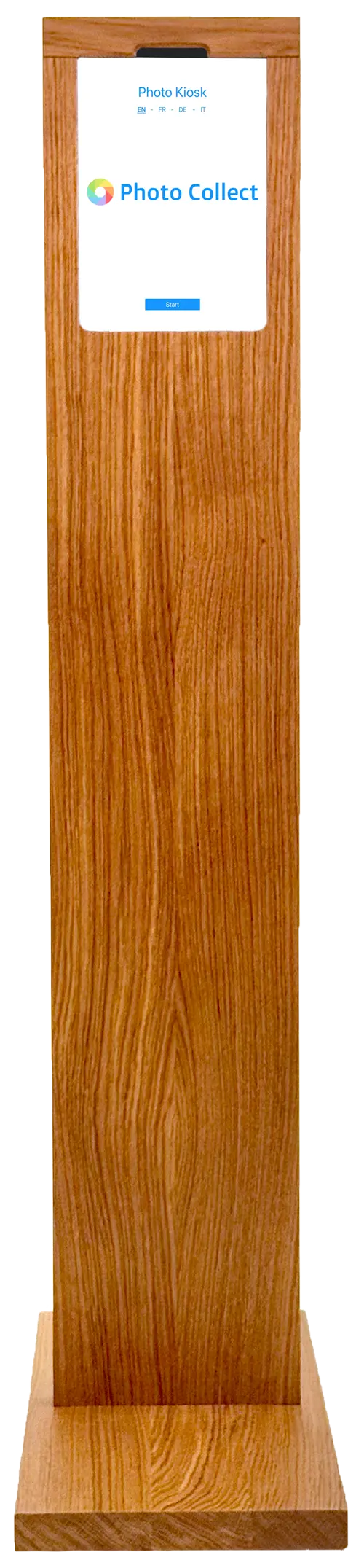
When the card is issued, the photo is taken right on site — with assistance in the card office or at the self-service kiosk.
- Assisted capture when the card is issued
- Self-service kiosk at reception or at the factory gate
- Integrated background removal, wireless operation possible
Highly automated through to approval.
Photos are immediately checked for consistency and quality and automatically processed to the required format. Optional manual quality control guarantees fully compliant results.





Head not facing forward
Faulty photos are detected during upload — with instant feedback.
- 35+ automatic checks
- Configurable criteria and strictness
- Feedback with specific instructions


Portrait, close zoom, gray background
Uploaded photos are automatically processed to the required format, including:
- Alignment and centering of the face
- Adjustment of format and zoom
- Background replacement as specified
Photos can optionally be reviewed manually before final approval.
- Integrated messaging for new requests
- New invitation with detailed reason
- Interface designed for large review volumes
The card doesn't wait for the photo.
Internal and external people alike submit their image before the first working day — checked, cropped, and in the format of the access control system.
External staff too
Service providers and temporary staff capture their photo without access to the internal network.
Error-free production
Anything that doesn't pass the check never reaches card production.
Directly into the access control system
The export goes to the access control or card management system, for example Securigate.
What takes the load off the card office.
The effort usually lies not in taking photos, but in sorting them out. That is exactly where these features come in.
Manual quality control
A human review can be added after the AI check — around one second per photo.
OCR for personal data
With assisted capture, OCR extracts personal data from existing documents.
On-site capture
For people without a smartphone: self-service kiosk or staff-operated app — with identical checks.
Within the existing access control landscape.
Photo Collect works independently of the access control system — often simply called an access system in everyday use — and can be connected directly if needed.
- Existing connections to PIAM and card systems
- REST/JSON API, deep link, or export
- File naming by employee or card number
- Hosted by the provider or on-premise
- Access control systems Employee ID cards and access cards
- Card management Printing, personalization, and reordering
- REST/JSON API Full control from the business application
- Export as ZIP or via sFTP No integration needed, directly to the target system
Swiss made, Swiss hosted.
The software is developed in Switzerland and runs in an ISO 27001-certified data center in Switzerland. On-premise hosting available. Sovereign infrastructure and AI models.
Frequently Asked Questions
Is Photo Collect compatible with access control systems?
Photo Collect operates independently of existing access systems. If required, Photo Collect can be integrated into an existing access or card management system.
What existing connections are available?
Various PIAM systems offer an interface to Photo Collect, e.g. Securigate from Securiton or OCMS from ID-ware. Other systems can be integrated via the API. There are also card manufacturers and printer systems that offer an interface to Photo Collect. We are happy to provide information.
Are users informed about faulty photos?
If the quality is insufficient, users receive immediate feedback and can upload a new photo. If necessary, a follow-up invitation with the reason for rejection will be sent.